

Mail Buddy Download
Features

Everything Mail Buddy does.

Mail, chat and notes for all your Google accounts, in one app. Here's each part, and what it's good for.

Mail

Every inbox in one list.

All Inboxes brings every account together. Or pick one account and see its folders, labels and Gmail categories (Social, Promotions, Updates, Forums) in the sidebar, the way you're used to.

  • Favourites for Inbox, Starred, Important, Sent, Drafts, Spam and Trash across all accounts
  • Search one account or all of them at once
  • Archive, delete, junk, label, star, mark unread and print
  • Undo send, and undo for delete and archive
  • Replies use the right account and its Gmail signature
  • @mention people as you write, from your contacts
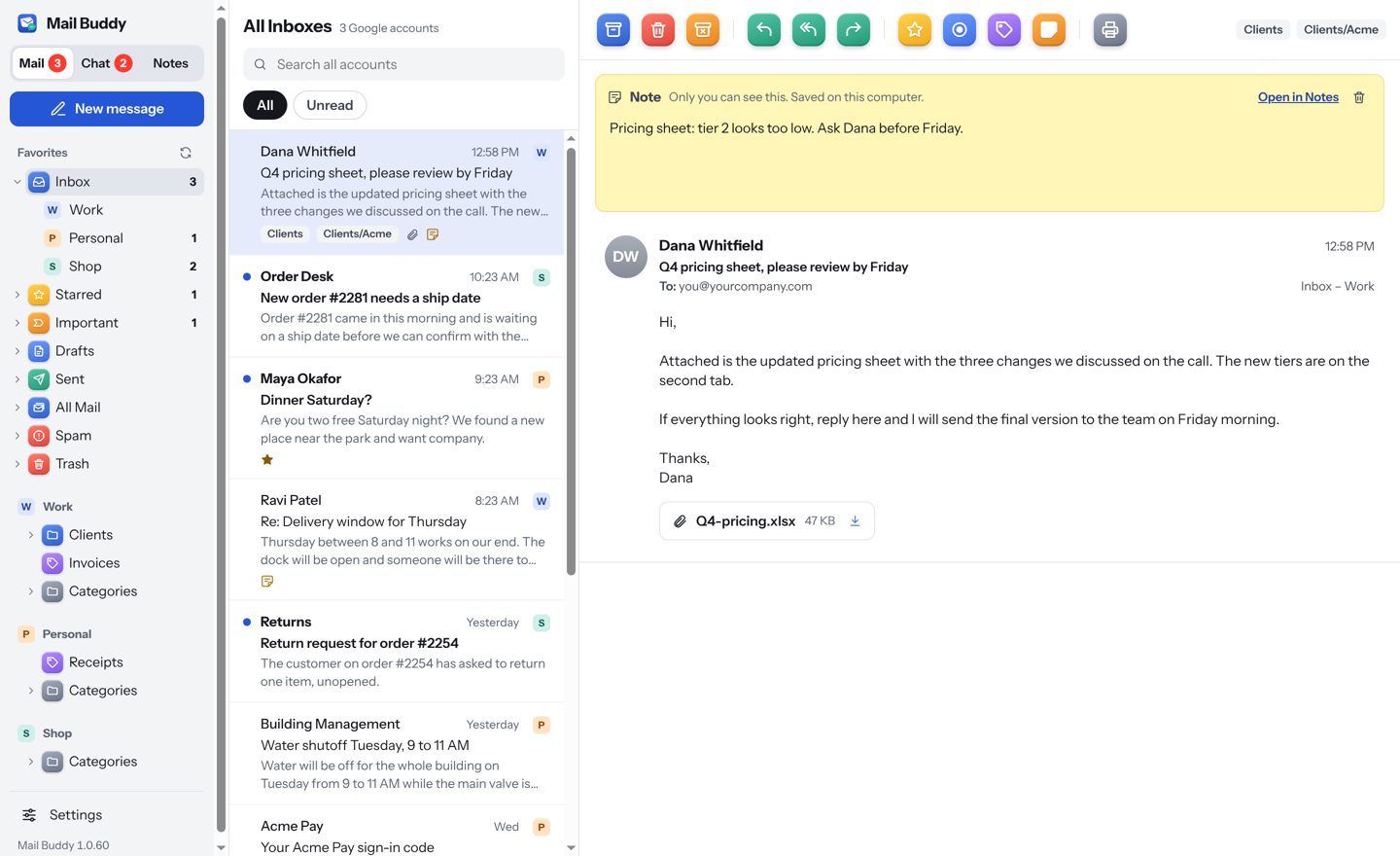
All Inboxes
All Inboxes with three accounts and an email open.

Sign-in codes in one click

When an email holds a verification code, Mail Buddy shows the code as a button in the message list and at the top of the email. Click it and it's copied.

Attachments that open

PDFs and photos preview right in the email. Save a single file, or download all of a message's attachments at once.

Newsletters that fit

Wide emails shrink to fit the reading pane, with product photos kept at their real size, like in Gmail.

Remote images on your terms

Choose whether pictures from the internet load automatically, so senders can't always tell when you opened their email.

Junk and spam

Mark junk to move it to Spam and teach Gmail's filter. Spam and Trash work like they do in Gmail.

Resizable layout

Drag the sidebar and message list to the widths you like. Mail Buddy remembers them.

Chat

Google Chat, next to your email.

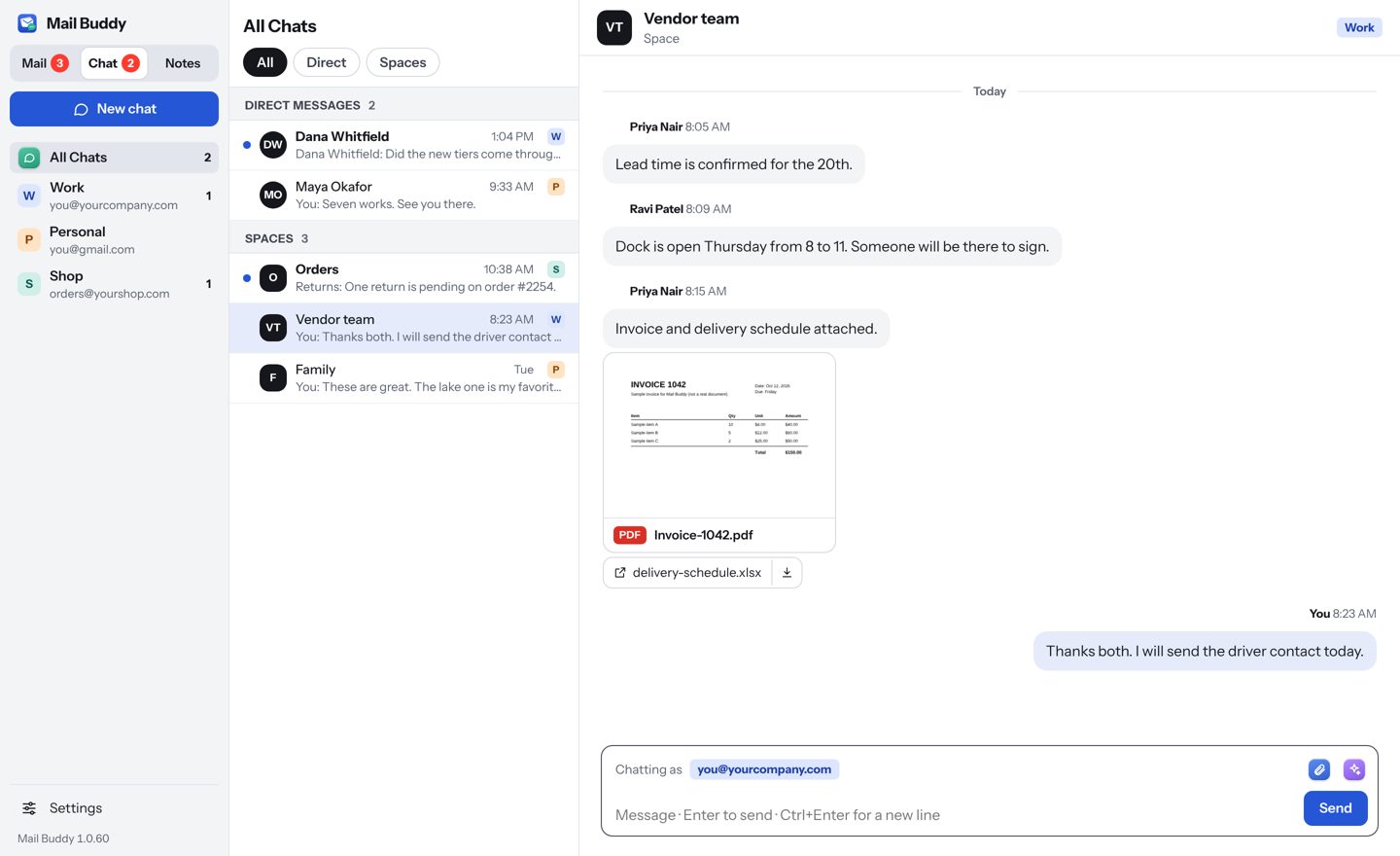
For Google Workspace accounts, Mail Buddy shows your direct messages and Spaces. Turn chat on for each account in Settings; accounts without it stay out of the Chat list.

  • Reply to a specific message, with the original quoted above
  • @mention people in a Space
  • Send files and photos; preview PDFs right in the chat
  • Edit or delete what you sent
  • Date lines between days, like the Google Chat app
  • Hide quiet conversations, and bring them back any time
Vendor team
A Google Chat space with message replies and a PDF attachment.
Notes

Remember what each email was about.

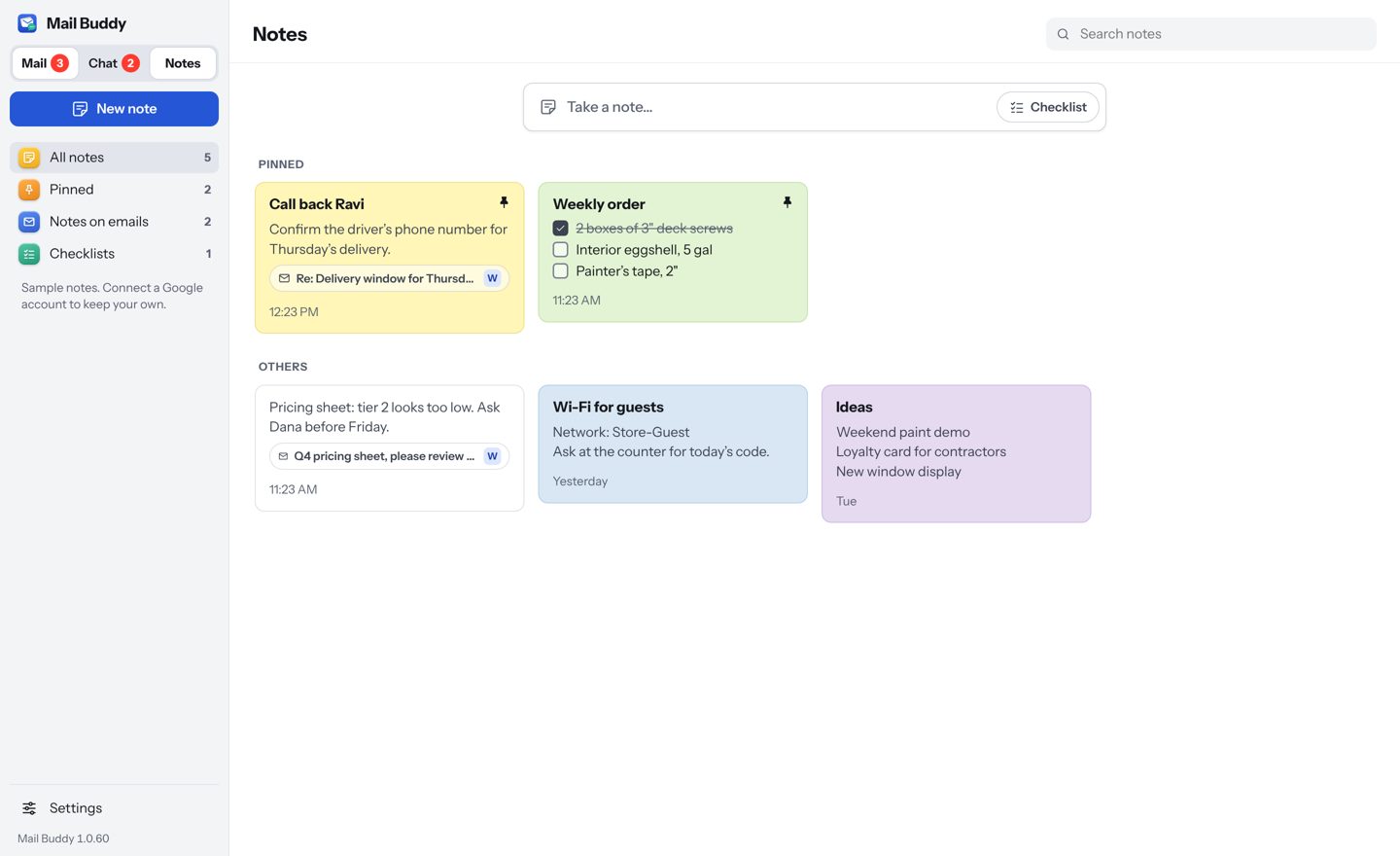
Add a note to any email: what you agreed, who to call, when to follow up. It appears at the top of the email every time you open it. The Notes section holds those and your other notes and checklists, like Google Keep.

  • Notes on emails, and free notes or checklists
  • Eleven colours, pins, search, and filters for checklists and email notes
  • Click an email note to jump back to the email
  • Optional sync through a file in your own Google Drive, so notes show on every computer signed in to that account
Notes
Notes board with coloured notes, a checklist and notes linked to emails.
Writing help

A second pair of eyes on every message.

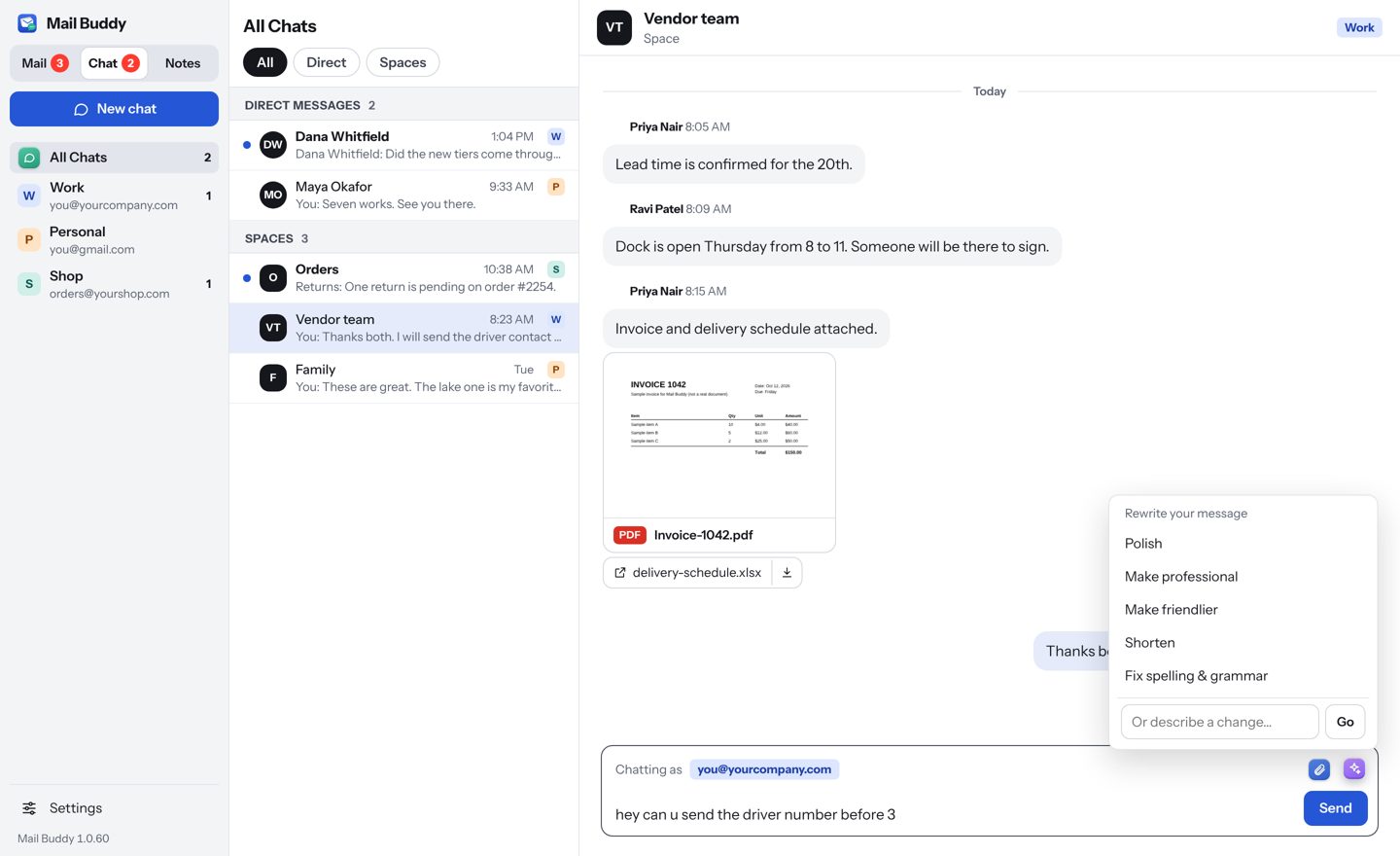
Writing help uses Google Gemini to rewrite what you wrote. Use it on a whole email, a selected sentence, or a chat message.

  • Polish, Formalize, Make professional, Make friendlier, Shorten, Elaborate, Fix spelling & grammar
  • Or type what you want: “more apologetic”, “ask for a delivery date”
  • Keeps names, numbers, prices and dates exactly as written
  • Chat rewrites stay short, with no greeting or sign-off
  • Only the text you choose is sent to Gemini, and only when you click
Writing help
Writing help menu open over a chat message.
On your desktop

It behaves like a real Mac and Windows app.

One unread count

A badge on the Dock or taskbar counts unread mail and chats across every account.

Notifications

Choose per account whether you hear about mail, chat, both or nothing.

Menu bar and tray

Close the window and Mail Buddy keeps checking from the menu bar or system tray.

Sized for your screen

Auto size scales the whole app to the window. ⌘ + and ⌘ − make it larger or smaller.

Shortcuts you choose

Single-key shortcuts like Gmail's, plus ⌘ shortcuts like Apple Mail's. Change any of them.

Fast when you open it

Opens to your last list immediately, then catches up with Google in the background.

Try it with your own accounts.

Mail Buddy runs on Mac and Windows. You can look around with sample data before you add an account.

Download Mail Buddy