
Mail Buddy Download
Gmail + Google Chat for Mac and Windows

Every Google account. One window.

Your phone's Gmail app already shows all your accounts in one place. Your computer only gives you browser tabs. Mail Buddy fixes that: every inbox, every chat and one unread count, in a real desktop app.

macOS 11+ on Apple silicon · Windows 10 and 11
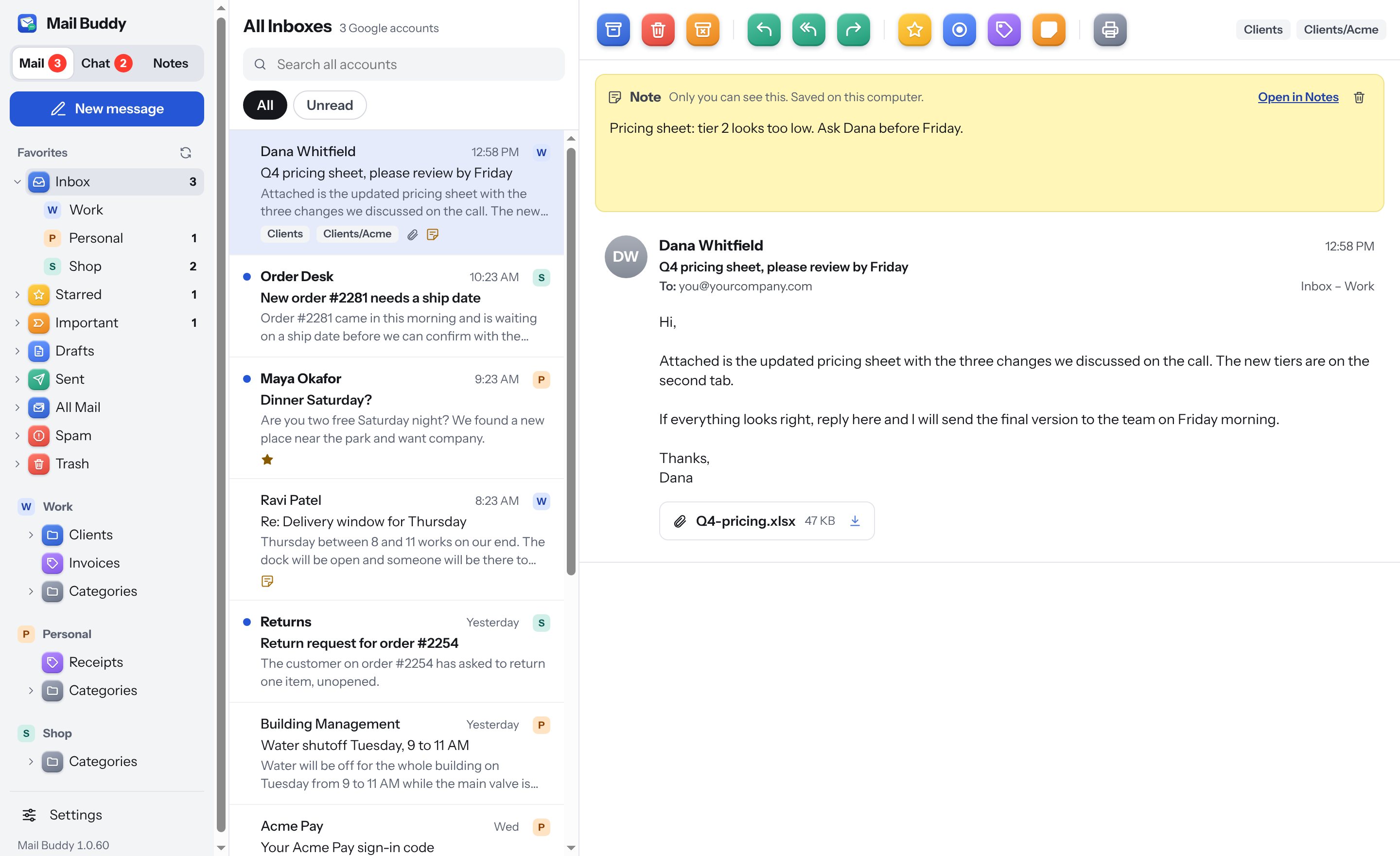
Mail Buddy · All Inboxes
Mail Buddy showing All Inboxes from three Google accounts, with a yellow note pinned to an open email about a pricing sheet.
Why a desktop app

Google made this easy on your phone. Not on your computer.

On a phone, the Gmail app lists every account you've added and shows them all together. On a computer, Google only offers the website, one account per tab. If you run a business, a side business and a personal life, that means a row of tabs you keep clicking through.

On your phone

The Gmail app

  • All accounts in one app
  • One combined inbox
  • A notification when anything arrives
On your computer

Gmail in a browser

  • A tab for every account
  • No combined inbox or total count
  • Easy to miss a message in another tab
With Mail Buddy

One desktop app

  • Every account's mail and chat together
  • One unread count on the Dock or taskbar
  • Keeps checking in the background
What you get

Built for people who answer email all day.

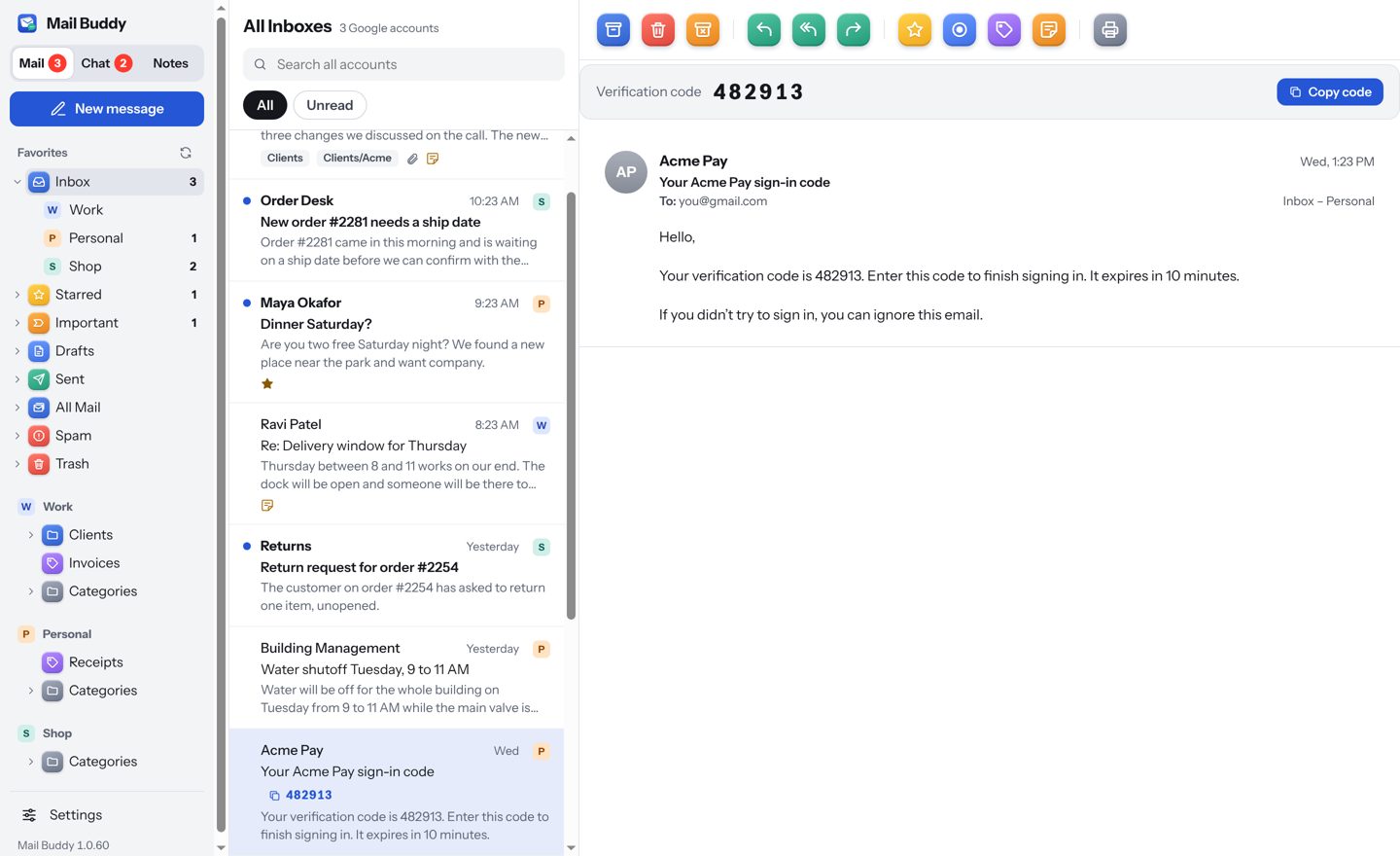
All Inboxes, with a letter for each account

Mail from every account in one list, newest first. A small coloured letter tells you which account each message came to, so replies go out from the right address.

  • Add as many Google accounts as you use
  • Unread count on the Dock or taskbar, and in the menu bar
  • Archive, delete, label, star and reply from the toolbar or the keyboard
All Inboxes
The message list showing emails from three accounts, each tagged with a coloured letter, and a sign-in code shown as a copy button.

Google Chat in the same window

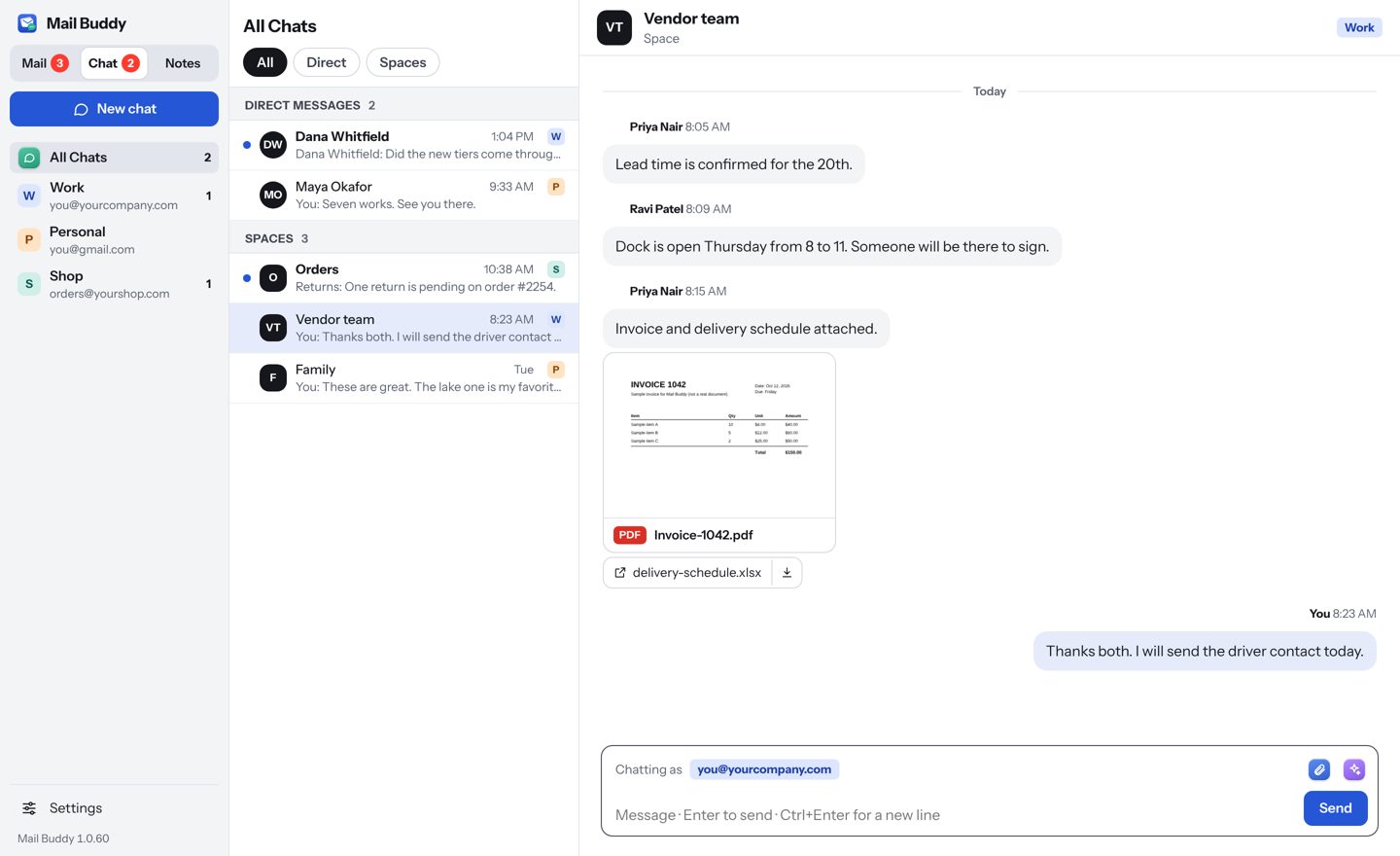
Direct messages and Spaces from all your Workspace accounts, next to your mail. Reply to a specific message, @mention people, preview PDFs and photos, and hide chats you don't need.

  • One switch between Mail, Chat and Notes
  • New messages show up in the open chat on their own
  • Accounts without Chat simply don't appear there
All Chats
A Google Chat space in Mail Buddy with a PDF preview, replies and the message box.

Writing help, built in

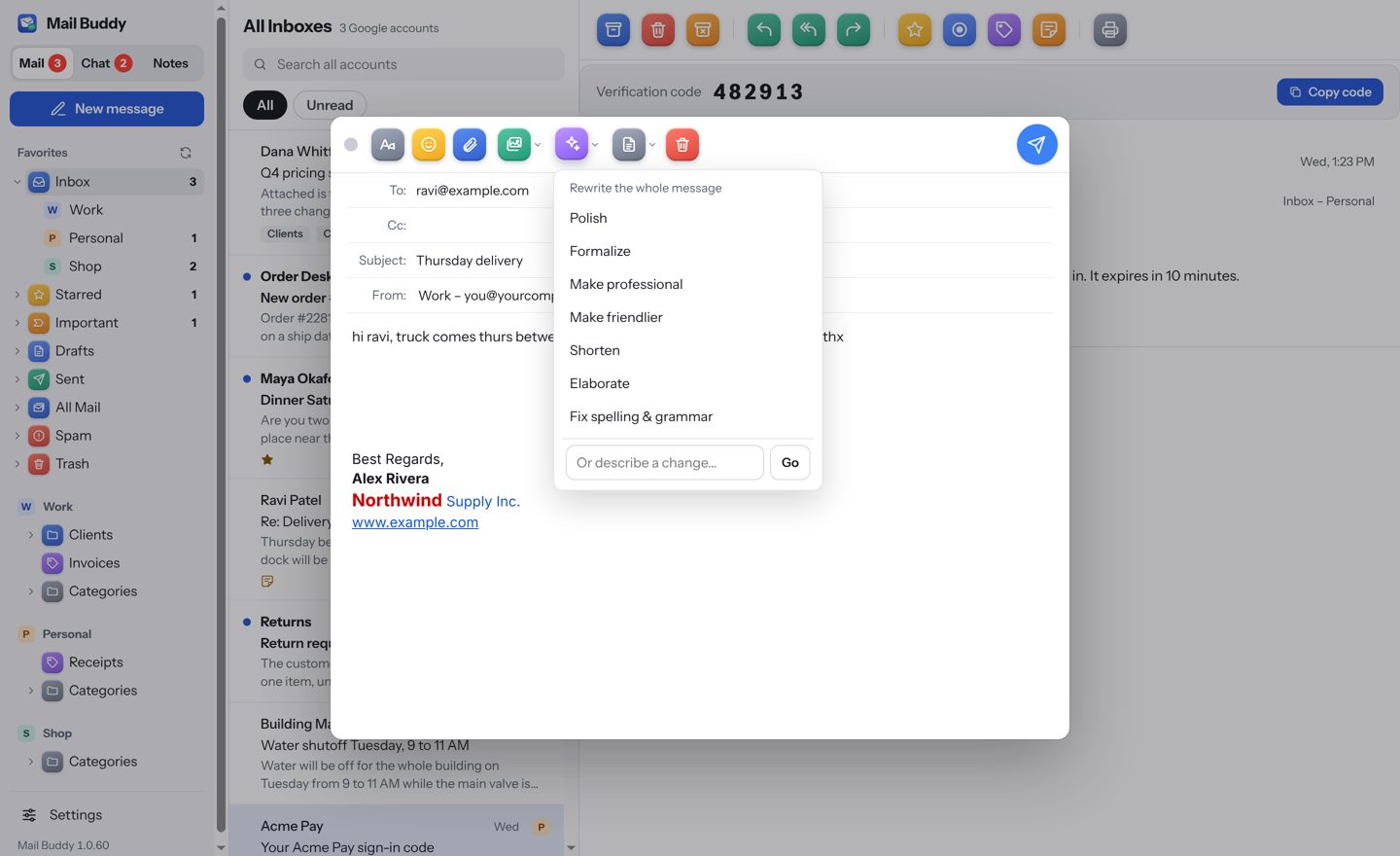
Select some text or the whole message and choose Polish, Formalize, Make professional, Shorten or Fix spelling. It works in emails and in chat, and it's ready to use with nothing to set up.

  • Only the text you choose is sent, and only when you ask
  • Names, numbers, prices and dates are kept exactly
  • Undo puts back what you wrote
New Message
Writing help menu open over a new email, offering Polish, Formalize, Make professional and more.

Notes on emails, and a notes board like Keep

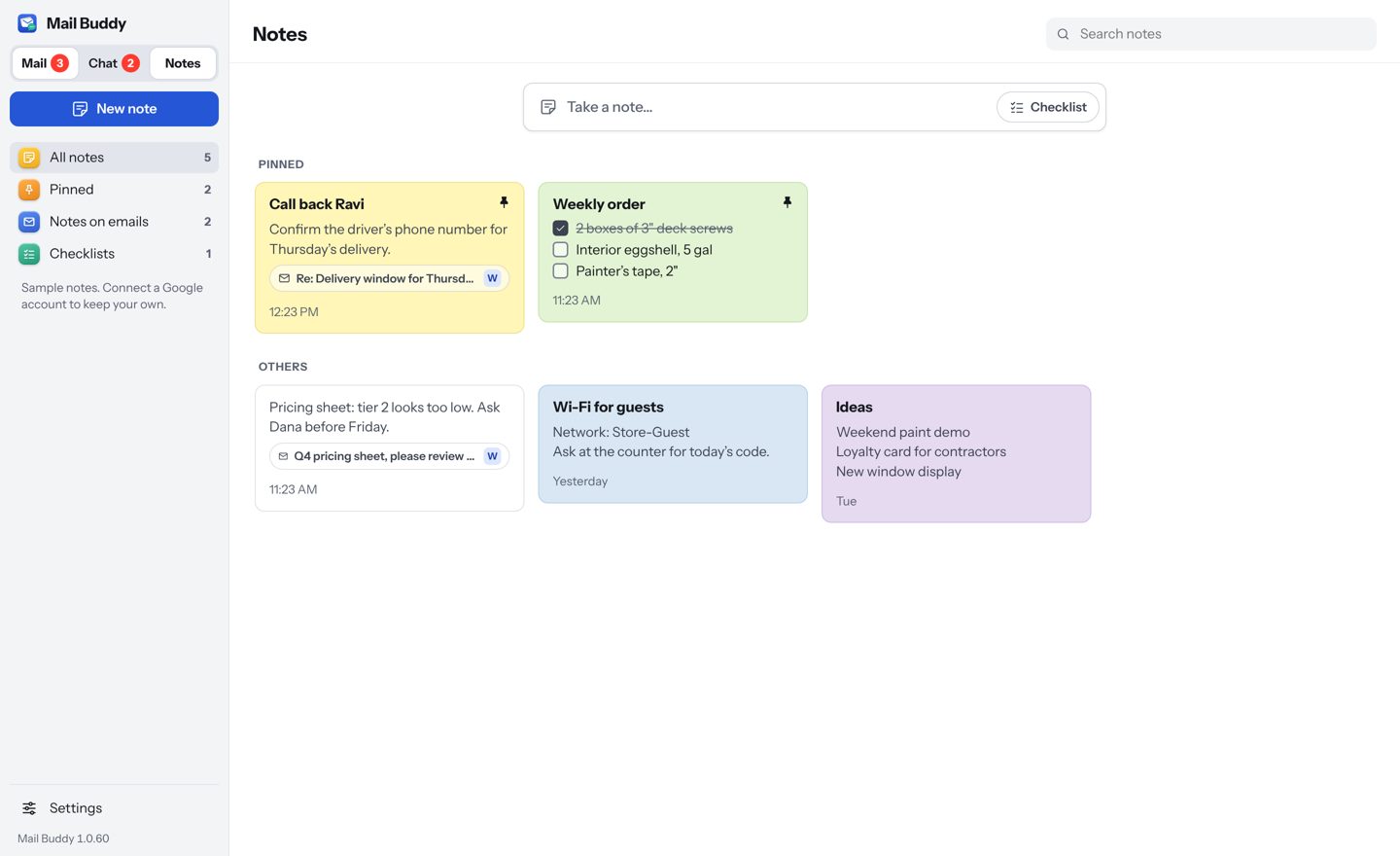
Pin a note to any email: what was agreed, when to follow up. Keep checklists and reminders in Notes, in colours you choose. Turn on Google Drive and your notes appear on every computer signed in to that account.

  • Emails with a note show a small note icon in the list
  • Checklists you can tick right on the card
  • Stored in your own Google Drive, not on our servers
Notes
The Notes board with pinned notes, a checklist and notes linked to emails.
Privacy by design

Your mail stays in Gmail. Mail Buddy just shows it to you.

Mail Buddy talks to Google directly through Google's official APIs. There's no Mail Buddy server in between, and we never see your email.

No copy of your mailbox

Messages are read from Google when you open them. Mail Buddy doesn't download or archive your mailbox. It keeps only a small temporary cache of recently viewed messages so they open instantly, trimmed automatically and cleared with one click.

Nothing goes through us

Your computer connects straight to Google over encrypted HTTPS. ZayneSoft runs no server that your mail, chats or notes pass through or are stored on.

Sign-ins locked by your computer

Mail Buddy never sees your password: you sign in on Google's own page. The access it gets is kept encrypted by the macOS Keychain or Windows data protection.

Remove access any time

Remove an account in Settings and Mail Buddy revokes its access with Google. You can also remove it from your Google Account's security page.

How Mail Buddy handles your data →

The small things

Details that save a minute, many times a day.

Sign-in codes, one click

Verification codes show as a button in the list and the email. Click to copy.

Undo send

A short delay before mail goes out, so you can take it back. Delete is undoable too.

Attachments that open

Preview PDFs and photos inline, save one file or download them all at once.

Keyboard shortcuts

Archive, reply, star and move through mail without the mouse. Change any key you like.

Fits a big screen

Auto size grows everything to fit a large window, and shrinks it for a small one.

Your signatures

Uses each account's Gmail signature, with its formatting and logo.

Stop clicking through tabs.

Download Mail Buddy, add your Google accounts, and see all of it in one window.

Download for Mac or Windows